

Built-in network discovery
Finds servers & services on the local network via Bonjour — SSH, SMB, WebDAV and NFS through to Proxmox, Cockpit and NAS web interfaces. Connect in a few clicks instead of guessing host names.
Not an ordinary file manager — the control centre for everyone who wants to understand what is happening on their system. Locally, on the server, in containers and in the cloud — much of it by click where the command line would otherwise be needed.
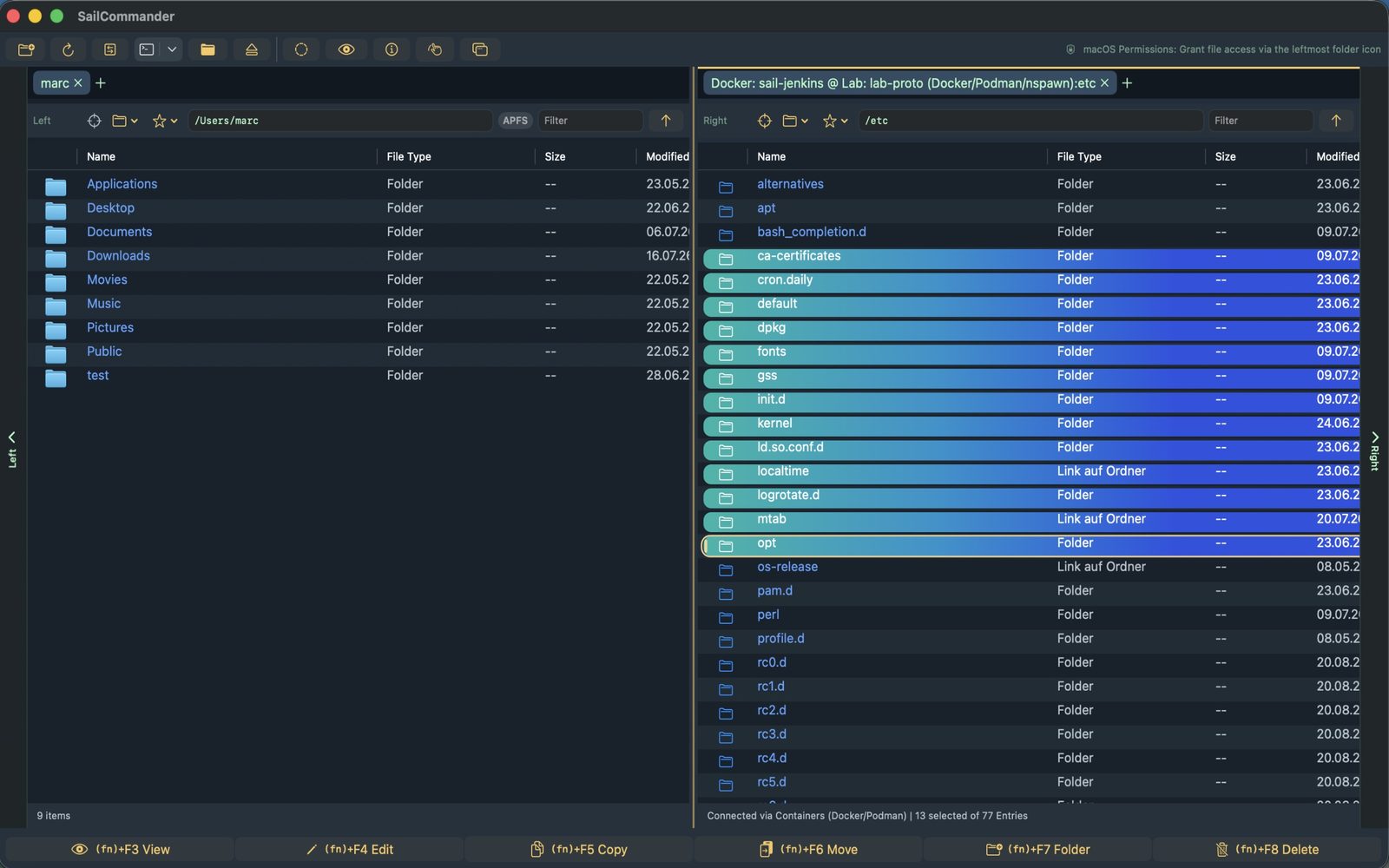
Scroll to unfold the cockpit
This is not an ordinary file commander.
For administrators, power users and every curious mind who does not just move files but wants to understand what is happening on their system.
Open a remote file in the built-in text editor, change it and save it straight back. Mount a server, set permissions by click, browse an archive like a folder. Things that would otherwise take several steps or a command in the terminal are done right here.
The classic dual-pane workflow, built for today’s macOS. Two panes, any number of tabs per side, its own history and filter per tab — operated by click and, if you like, at speed from the keyboard.
A local file, a ZIP entry, a file on an SFTP server — and just the same in a Docker or Podman container, a Proxmox LXC, an Incus/LXD guest, a Kubernetes pod, a systemd-nspawn machine or a FreeBSD jail. Seven container worlds, and you operate every one of them the same way: copy, move, compare, view. You learn the app once — it works the same everywhere.
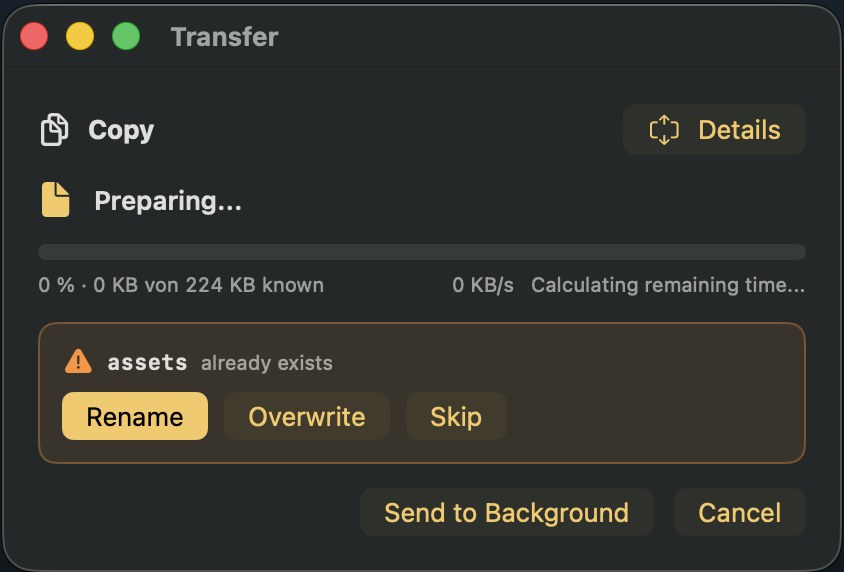
Even large transfers run in the background with a real queue. You see percentage, bytes, time remaining and speed in real time. On name conflicts you decide per file — or once for all of them.
SailCommander speaks the protocols you need day to day — finds servers by network discovery, tunnels ports over SSH and keeps passwords & keys safe in the macOS keychain.
One window for all your servers instead of five scattered dialogs: connect, manage and retrace without switching apps. The server centre is the command deck behind every connection.
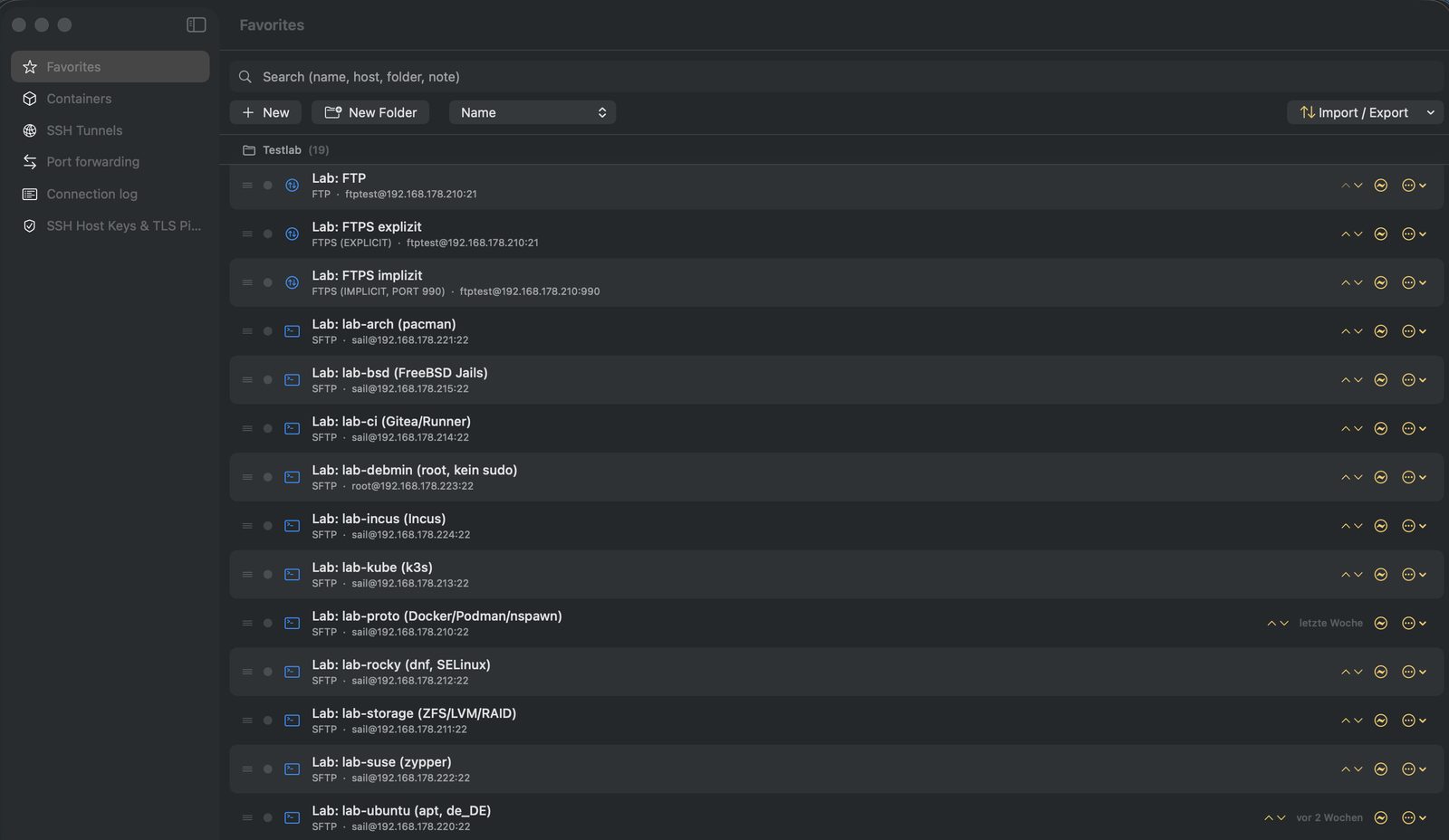
Full file access, pooled connections, SSH agent, jump hosts & saving with sudo.
Classic transfer including implicit and explicit TLS encryption.
Nextcloud, Synology & co. as an ordinary pane — read and write.
Browse buckets, upload and download just like a directory.
Mount shares from NAS & servers as a volume by click — network discovery included.
Secure OAuth sign-in, then browse the drive as if it were local.
Docker, Podman, Proxmox LXC, Incus/LXD, Kubernetes, systemd-nspawn & FreeBSD jails.
Additional cloud storage is in preparation — the architecture for it is already in place.
PlannedFinds servers & services on the local network via Bonjour — SSH, SMB, WebDAV and NFS through to Proxmox, Cockpit and NAS web interfaces. Connect in a few clicks instead of guessing host names.
Local and remote forwards for services behind firewalls — the virtual SSH bridge to databases, web interfaces and APIs on a distant network.
Docker and Podman via the engine API, plus Proxmox LXC, Incus/LXD, Kubernetes pods, systemd-nspawn and FreeBSD jails over SSH. Connect to a running container and browse its file system right in the pane — no docker exec, no kubectl cp, no copying back and forth.
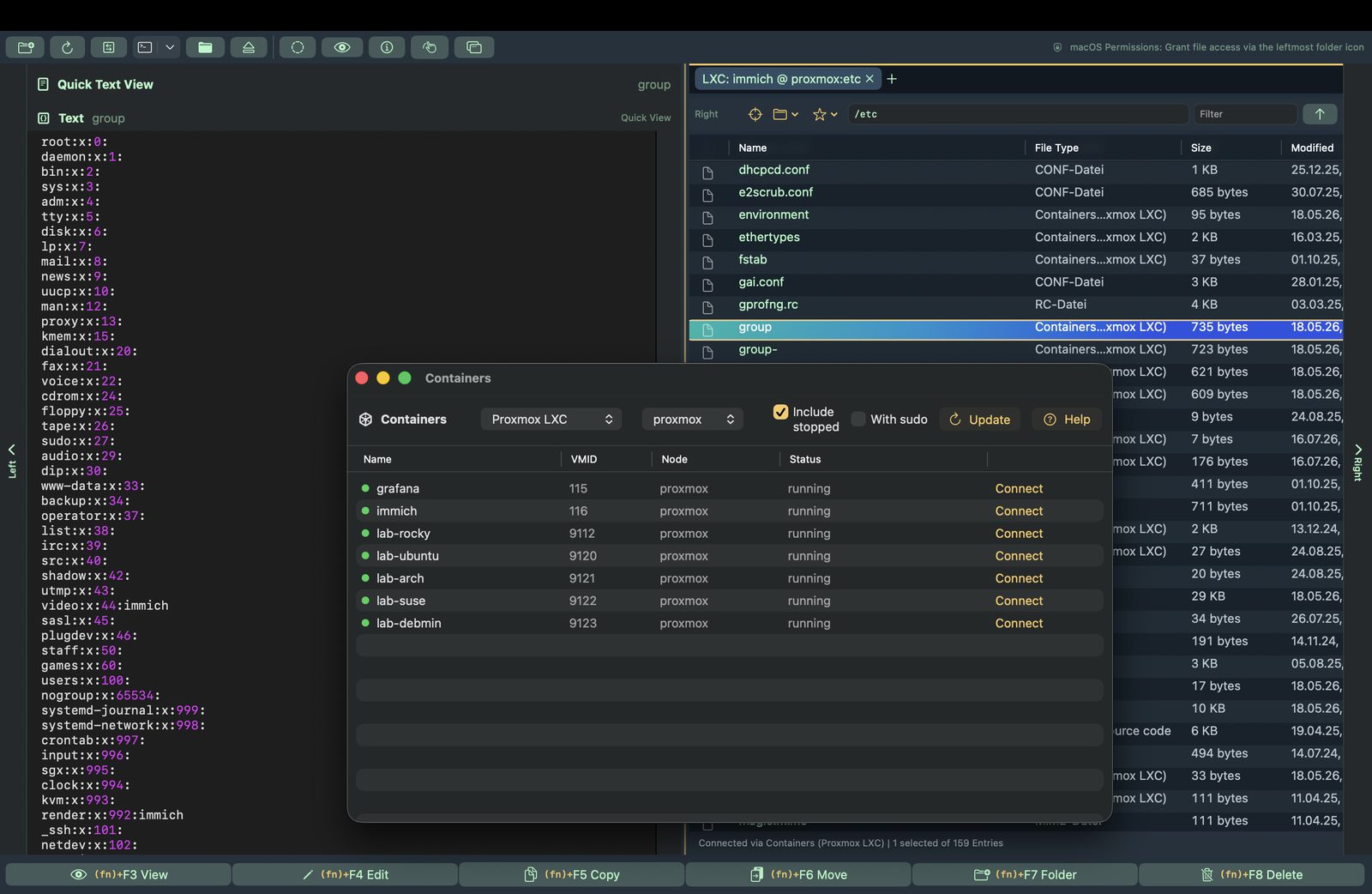
Check nginx.conf in the quick view or open it in the editor and save — it uploads back into the container automatically.
Switch to /var/log and copy files into the local pane — for analysis or archiving.
Copy a test certificate or a changed config straight from the other pane into the container.
/etc/hosts in placeExtend and save bind-mounted files — without “device or resource busy”.
Start a container from someone else’s image and browse its file system — instead of piecing commands together.
22 areas in one window, one shared host switch: from the fleet overview through the daily diagnosis to groups, users, volumes and security status. Everything runs over your normal SSH connection — SailCommander installs no agent of its own, it queries the on-board tools that are running on the server anyway.
Is everything running? Is disk space getting tight? Are security updates pending? Who signed in? Instead of piecing dozens of commands together, SailCommander reads them in a few bundled queries and puts the answers side by side.
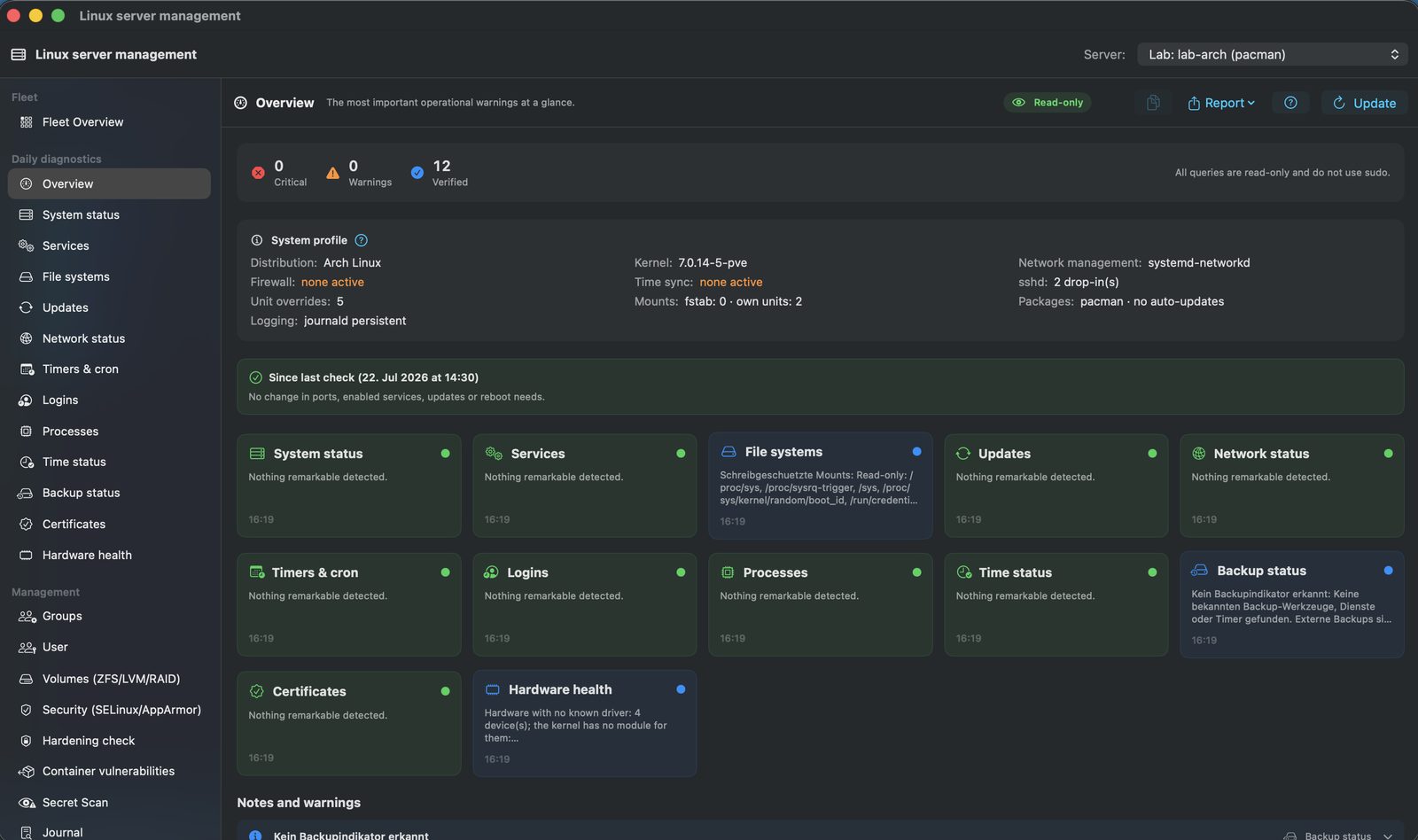
Whatever could not be read stays grey and is named — an unreachable host or a file without read permission never appears as an all-clear. Better to show a gap than a green tick that is none.
One click turns the fleet matrix or a single host into a Markdown report — with a timestamp, severities in words and a dedicated section for everything that could not be read.
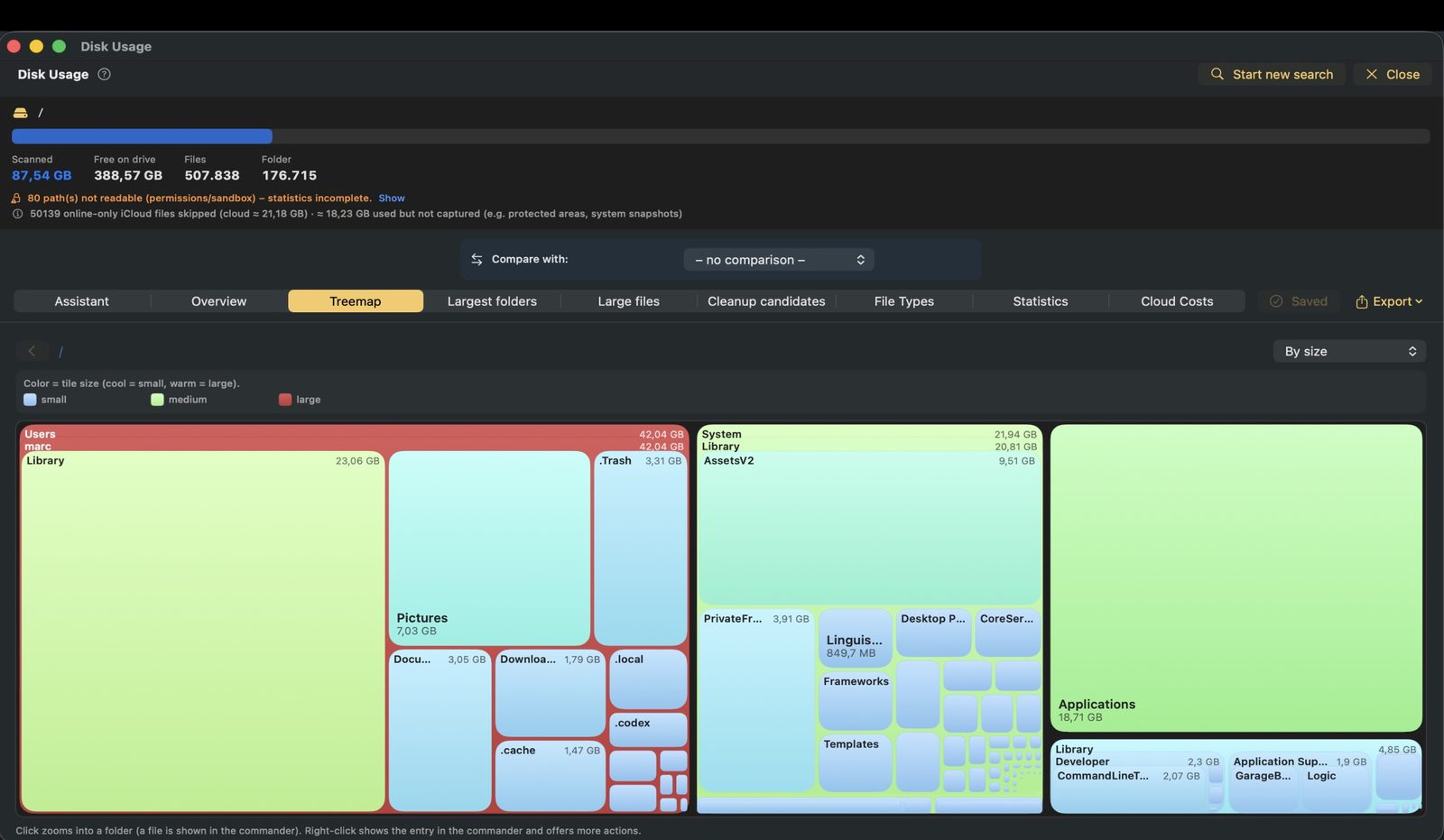
SailCommander answers the questions a file manager usually leaves open: where is the disk space going? What is running right now? What has changed?
Extensive statistics on disk usage — with a real change history based on snapshots over time. Spot trends, find old space hogs and see what struck most recently.
The process viewer does not leave you alone: it knows the important system services and explains what they do — instead of leaving you with cryptic names. Laid out clearly as a live process tree.
Capture states anywhere in the app — files, folders, processes, usage — and compare them with each other. See in black and white what has changed since last time.
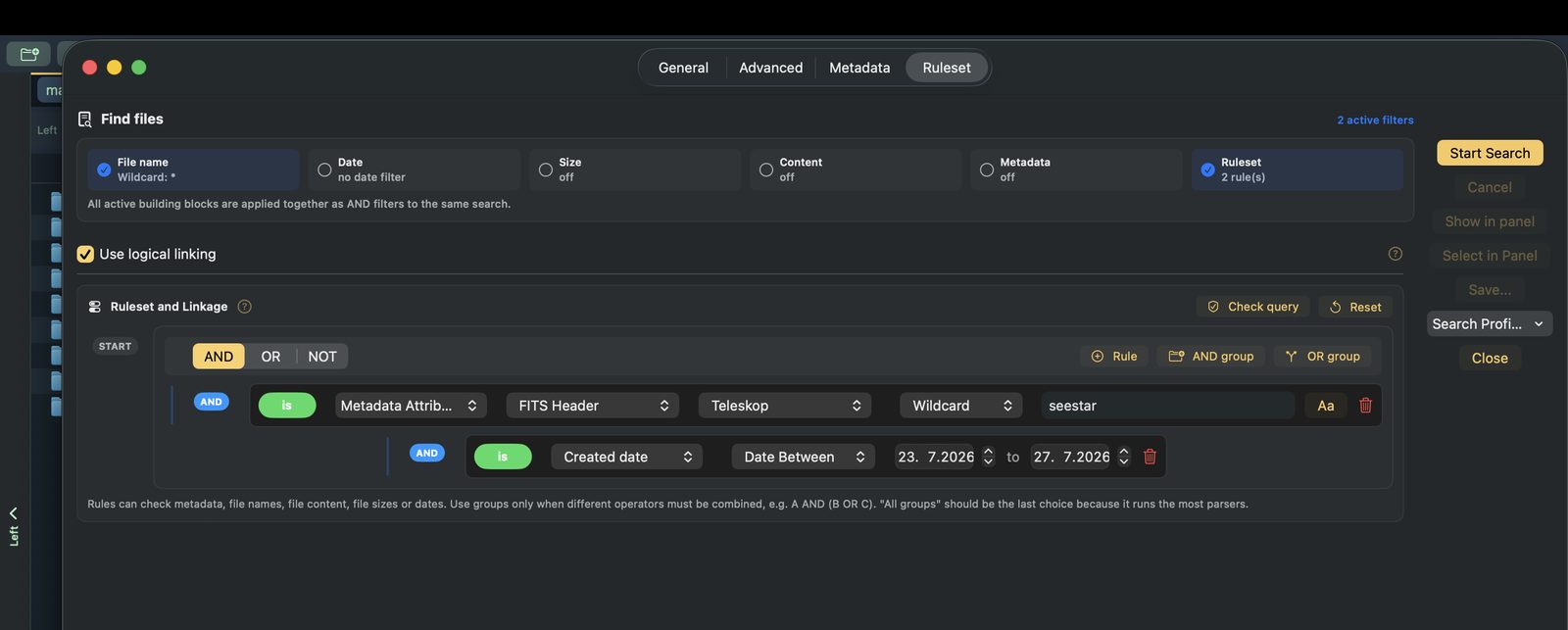
Search for properties that sit in the file system but are rarely accessible: metadata, combined with AND, OR and NOT — nested as deeply as you like until the match is right.
Search properties an ordinary file manager does not even know about — and combine them into a real set of rules.
Put the cursor on a file — the preview appears immediately in the neighbouring pane. For almost every file type, without starting a second app.
Images, PDF, audio and video — plus text, JSON, XML, YAML, archives and even FITS astro images. Unknown formats fall back cleanly to text or hex, never a blank “?”.
Headings, lists, code and links neatly formatted instead of raw text — read documentation and READMEs right in the pane.
EXIF, GPS, Office and EPUB properties — and even the provenance: which URL it was downloaded from and with which browser, including quarantine status.
Every tool opens in its own window and shares the same context. What used to be spread across five programs now lives in one place.
Recursive analysis with bars & a jump to the biggest space hog.
By size, date, content & regex — system-wide or within a path.
Hundreds of files at once — patterns, counters, variables, regex, live preview.
Left→right, right→left or bidirectional — with a preview of the plan.
Track down files with identical content and tidy up safely.
Tracks down different versions of the same file (_v2, _final …) and compares newest, oldest & differences.
Large files via paging, text/hex/regex search with wildcards.
Write & edit — locally, on the server, in containers. Save with sudo if you need to.
Design the installer layout, export a ready-made build script.
Capture file properties and have changes analysed over time.
A live process tree that recognises important system services and explains them in plain words.
File-system events & installation reports in real time (FSEvents).
System-wide RAM and pressure telemetry — sandbox-safe via sysctl.
Create SSH keys & TLS certificates via openssl / ssh-keygen.
View and change extended attributes & BSD flags.
Watch volume usage before things get tight.
Word- and character-level diff with two-stage highlighting.
20 diagram types with live preview — edit flowcharts structurally by click.
22 areas for your SSH hosts — diagnosis, groups, users, volumes, security. See it ↓
Adjust exposure, colour & crop non-destructively — sliders, histogram, before/after.
Analyse photos locally with Apple Vision, tag them and sort them by rules.
Merge several text or log files into one in a controlled way.
Plus Quick Look, archive browser, hash checksums, link trace & snippet palette.
Three routes to the same diagram: type the syntax, start from one of the templates, or simply click nodes and edges together. And that is the real trick — as you click, the Mermaid code writes itself in front of you. If you do not know the language yet, you will have picked it up after a few diagrams; if you do know it, keep typing. 20 diagram types, always with a live preview.
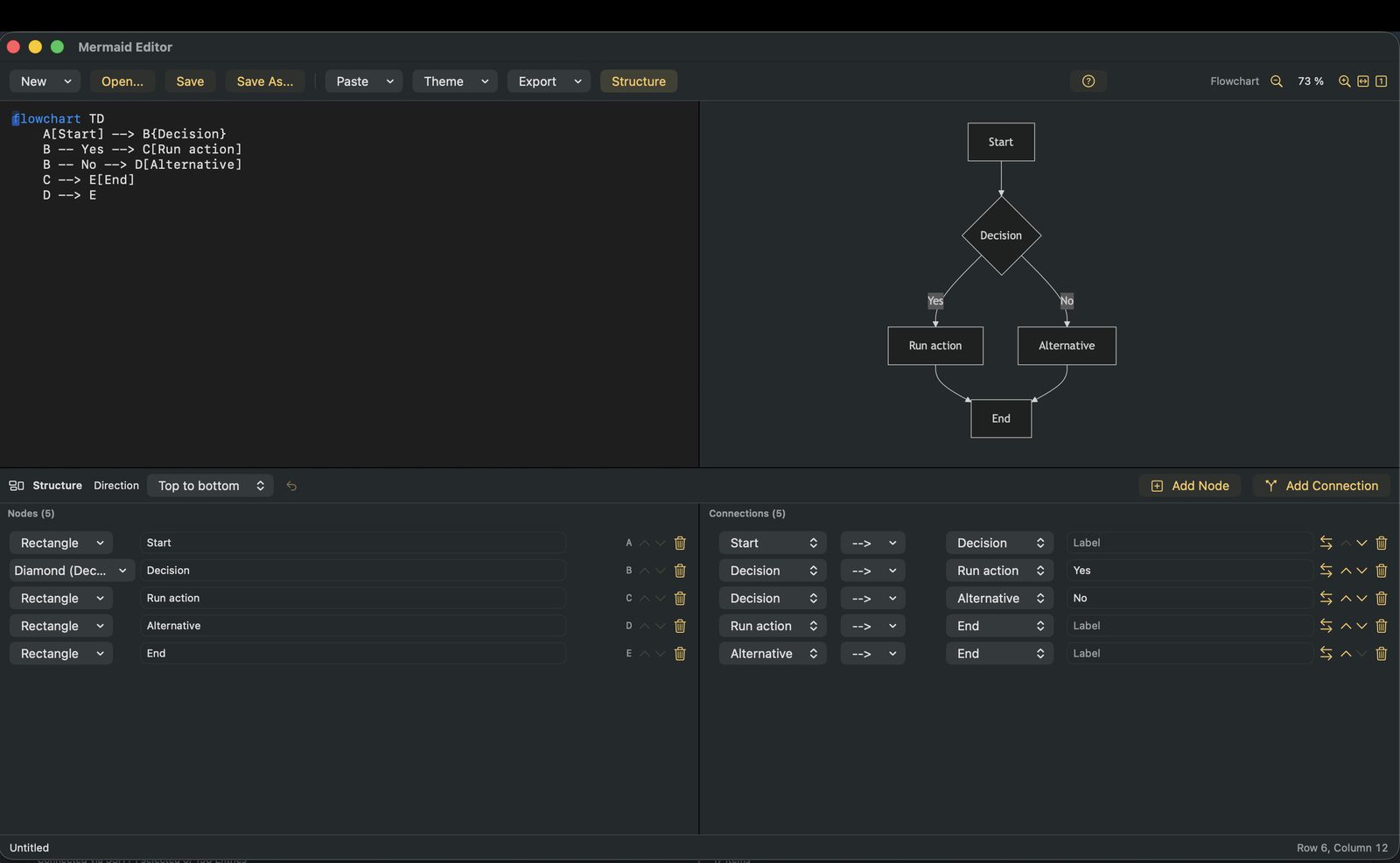
Add, rename and connect flowchart nodes and edges through the GUI — every change appears as Mermaid code right next to it. That way you pick the language up without cramming.
Flowchart, sequence, class, ER, Gantt, C4, mind map, kanban, git graph, Sankey, timeline, architecture & more — with templates for a quick start.
Open an .mmd file or Markdown containing diagrams from an SFTP server, change it and save it back — just like in the text editor.
Export finished diagrams as PNG or SVG — for documentation, a wiki or a presentation.
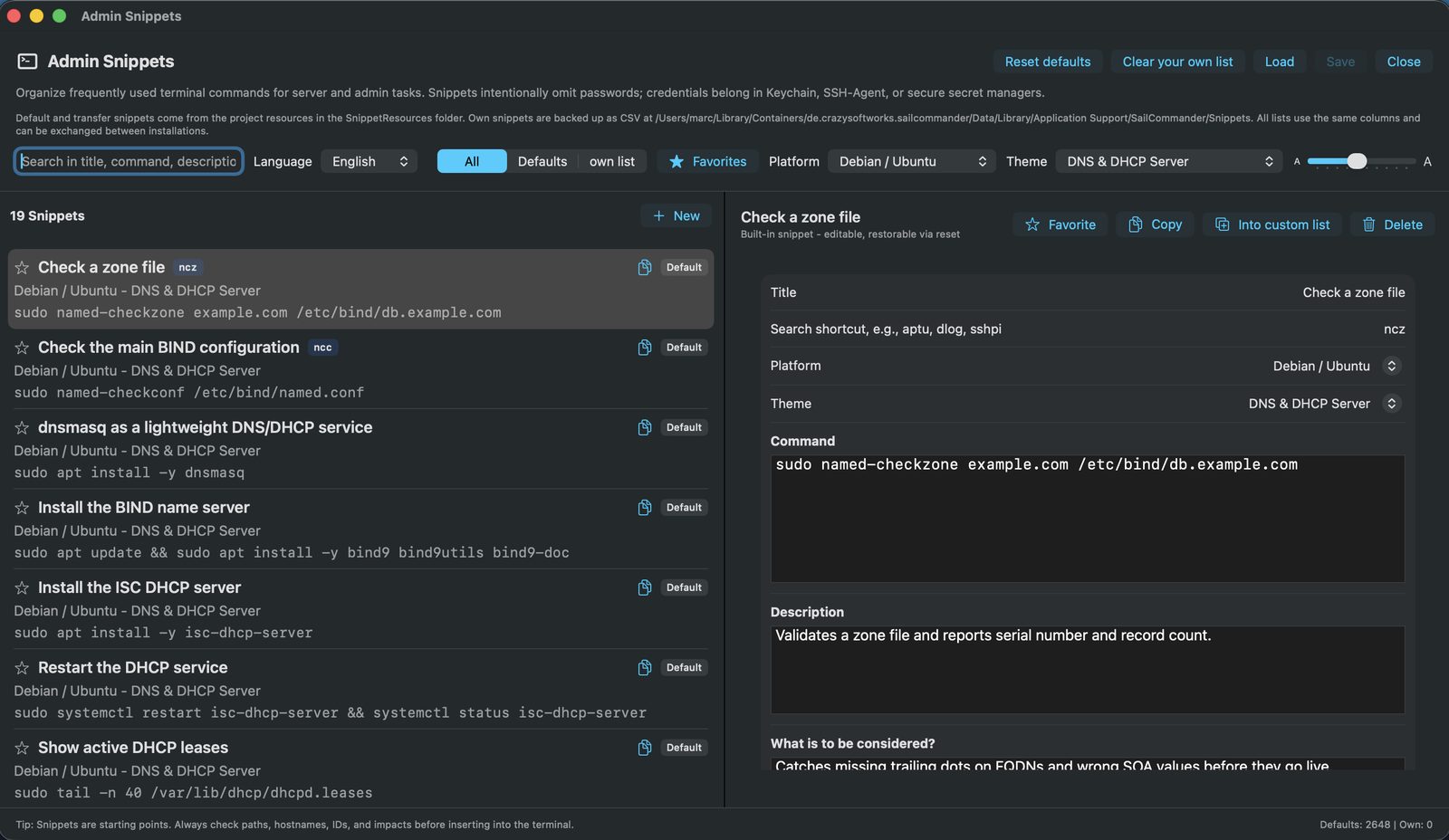
Sorted by topic for macOS, Debian/Ubuntu, Fedora, Red Hat, WSL and PowerShell: browsing a topic shows you what is possible at all — and you stumble across the command you would never have searched for because you did not know it existed. For looking things up day to day, for trying out and for learning. Bilingual, already built in and copied to the clipboard with a single keystroke. SailCommander does not execute the commands itself.
Use only on systems you are expressly authorised to work on. For every selected snippet the app shows notes on impact, permissions, confidentiality and third-party sources; whether a particular use is legally permissible must be checked beforehand.
Fully sandboxed to Apple’s requirements. Access only to what you explicitly grant.
Server secrets live in the macOS keychain — separate services per connection type.
Archive browsing detects absolute and .. paths and warns before extracting.
No analytics, no advertising, no account required. What stays local, stays local.
No subscription. No hidden costs. Try every Premium feature for 30 days — after that the complete file manager stays free for good.
€0use it indefinitely
A full, ad-free dual-pane file manager — without artificial limits.
€34.99one-off
A one-off purchase, not a subscription
For power users & administrators: networking, bulk editing and analysis.
30-day free trial · one-off purchase · price including German VAT for the German App Store; in other countries the storefront price shown there applies
SailCommander requires macOS 15 (Sequoia) or later and is built natively for Apple Silicon. It cannot be started on older macOS versions.
No. Premium is a one-off in-app purchase. The price binding for your storefront is shown in the Apple App Store before you buy.
During the 30-day trial all Premium features are unlocked. After that, the features marked as free in the app remain usable.
Exclusively in the macOS keychain — encrypted and separated by connection type. Credentials are only transmitted to the destination you have chosen, or during OAuth sign-in directly to the respective provider, never to Crazy Softworks.
No. There is no tracking, no advertising and no account requirement. Local work stays entirely on your Mac.
Yes. You copy files from one server straight to another — with SFTP/SSH servers, whole folders too. You only specify source and destination; SailCommander handles the transfer in one go via your Mac. Within the same server the copy even runs server-side — with no detour at all.
Download SailCommander and bring order to local, remote, cloud and container files — in a single, fast app.
macOS 15 (Sequoia) or later · Apple Silicon · 30 days of Premium free